
Product page
All product page settings are in the theme settings, in the sections whose names start with «صفحة المنتج» (Product page). The full reference is in General settings.
Design and layout
Section titled “Design and layout”- Product page design («تصميم صفحة المنتج»): Classic or MOVA (the default): a new gallery and a calmer buying area.
- Page layout («ترتيب الصفحة»):
- Balanced editorial («محرري متوازن»): suits most stores.
- Gallery focus («تركيز على المعرض»): all images one after another on desktop, for fashion and beauty.
- Compact commerce («تجاري مدمج»): everything close together, for stores that sell a lot, fast.
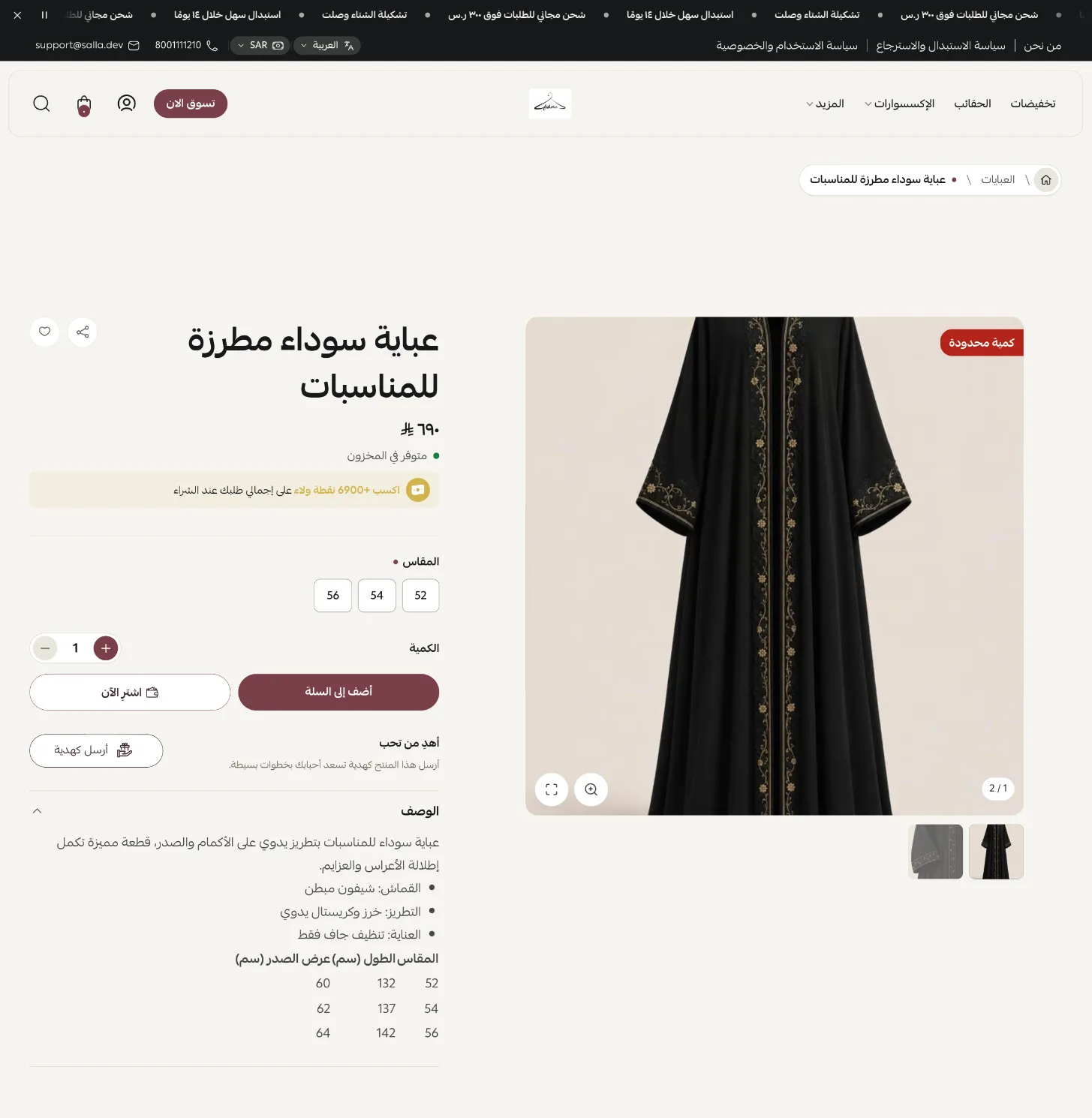
Image gallery
Section titled “Image gallery”- Image frame shape («شكل إطار الصور»): square, portrait, landscape. Choose the one closest to your photos, and the page stays steady while the images load.
- Thumbnail position («موضع الصور المصغرة»): under the image or beside it (on desktop). On mobile the customer swipes between images.
- Image edges («حواف الصور»): soft or sharp.
- Images on mobile («عرض الصور على الجوال»): full screen width, or with the edge of the next image showing so the customer knows there are more images.
- Image zoom («تكبير الصور»): on, so the customer can see the details.
Price and buying
Section titled “Price and buying”- Price display («طريقة عرض السعر»): price only, or price with the savings percentage (shows only when there is a real discount).
- Sticky add button and quantity at the bottom of the mobile screen («تثبيت زر الإضافة والكمية أسفل شاشة الجوال»): a buy bar that appears when the add button scrolls off the screen, with the price.
- Discount end countdown («عدّاد نهاية الخصم»): if you set an end date for the product’s discount in the Salla dashboard, the countdown appears automatically.
Product information
Section titled “Product information”- Display style: collapsible lists beside the images (a shorter page), or sections one after another under the images (for long descriptions).
- Description: in full, or shortened with “Show more” after 200, 400 or 800 characters, opening in place or in a popup.
- Product code and barcode: shown if they exist.
- Shipping information («معلومات الشحن») and Return policy («سياسة الاسترجاع»): text you write once that shows on every product. Leave it empty to hide it.
Sold-out products
Section titled “Sold-out products”Available alternatives for sold-out products («بدائل متوفرة للمنتج النافد»): when a product sells out, related products that are in stock now appear under the buy button (2, 3 or 4), so the customer’s visit doesn’t end at “Out of stock”. The “Notify me when available” button stays.
Options (sizes and colours)
Section titled “Options (sizes and colours)”In Product options style («شكل خيارات المنتج»):
- Option display («طريقة عرض الخيارات»): pills, squares with a check mark, or simple with a line under the selected one.
- Edge shape («شكل الحواف»): soft corners, round, sharp.
- Sold-out values («القيم التي نفدت»): crossed out, or with “Out of stock” next to them. They stay visible so the customer can ask to be notified when available.
Reviews
Section titled “Reviews”Customer reviews at the bottom of the page, in four designs: moving cards, review wall (the default), featured quote, moving rows. They come with a rating summary and the share of each star. They show when displaying reviews is turned on in the product settings in Salla.
Spacing and background
Section titled “Spacing and background”- Buying area background («خلفية مساحة الشراء»): no background (the calmest) or a light background.
- Spacing («المسافات»): balanced, compact, roomy.
- Breadcrumbs («مسار التنقل») on the product page and list pages: on.