
Identity, colours and dark mode
Logo, store colour and font
Section titled “Logo, store colour and font”These three come from Salla itself, and MOVA builds on them:
- Logo: from your store settings in Salla. In the header you can choose its size, its position and a background behind it (Header).
- Store colour: from the design settings in the editor. MOVA works out the shades for buttons, links and badges from it automatically, and picks the text colour on top of it so it stays readable.
- Font: from the design settings in the editor. Choose a clear Arabic font; MOVA sets the weights and spacing around it.
MOVA appearance
Section titled “MOVA appearance”In the theme settings → MOVA appearance («مظهر موڤا»):
| Setting | What it does |
|---|---|
| Store content width («عرض محتوى المتجر») | Compact, Medium (the default) or Wide. It adapts to the screen size. |
| Store kind («نوع المتجر») | Sets the corners and heading weight across the whole store. Read more |
| Block heading decoration («زخرفة عناوين الأقسام») | None, two lines on either side of the heading, or an underline in the store colour. Applies to all blocks at once. |
| Dark mode («الوضع الداكن») | See below. |
Dark mode
Section titled “Dark mode”Four options:
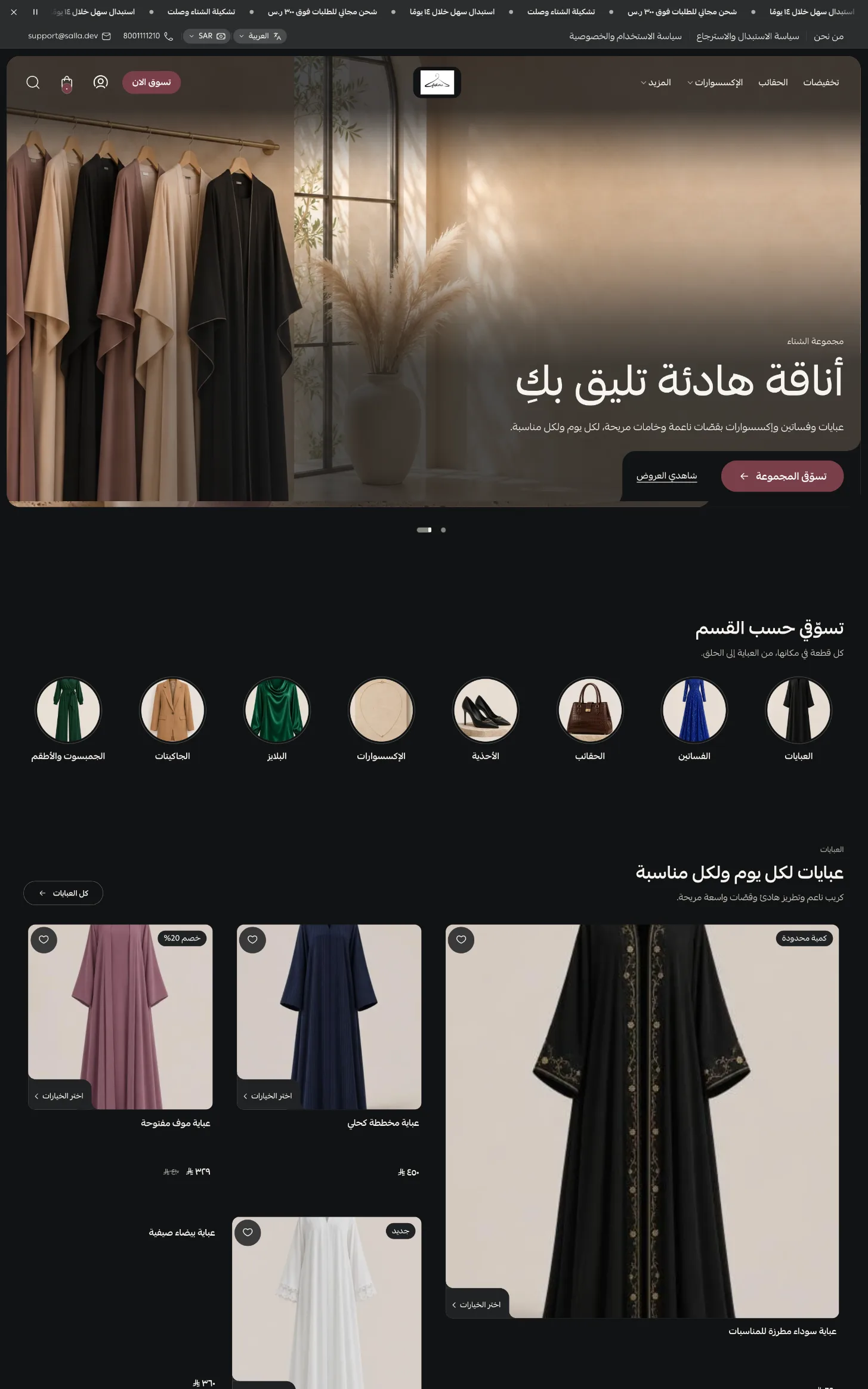
- Always light («فاتح دائمًا», the default).
- Always dark («داكن دائمًا»): suits perfume, electronics and luxury brands.
- Follow the customer’s device («حسب جهاز العميل»): follows the setting on the customer’s phone or computer.
- Customer chooses from a header button («يختار العميل من زر في الرأس»): a small button in the header, and the customer’s choice is saved on their device.
The footer has its own dark mode setting, which makes the footer dark even when the store is light. Footer
Loading screen
Section titled “Loading screen”A screen that covers the store from the very first moment and disappears as soon as what the customer sees first is ready. Off by default. If you turn the Loading screen («شاشة التحميل») on:
- Content: the store logo, an image or GIF of your choice, or the animation only.
- Animation: a spinning circle, a pulse, a loading bar, or none (choose None («بدون») with an animated GIF).
- Size, colour and the text under the logo: optional.