
Side cart
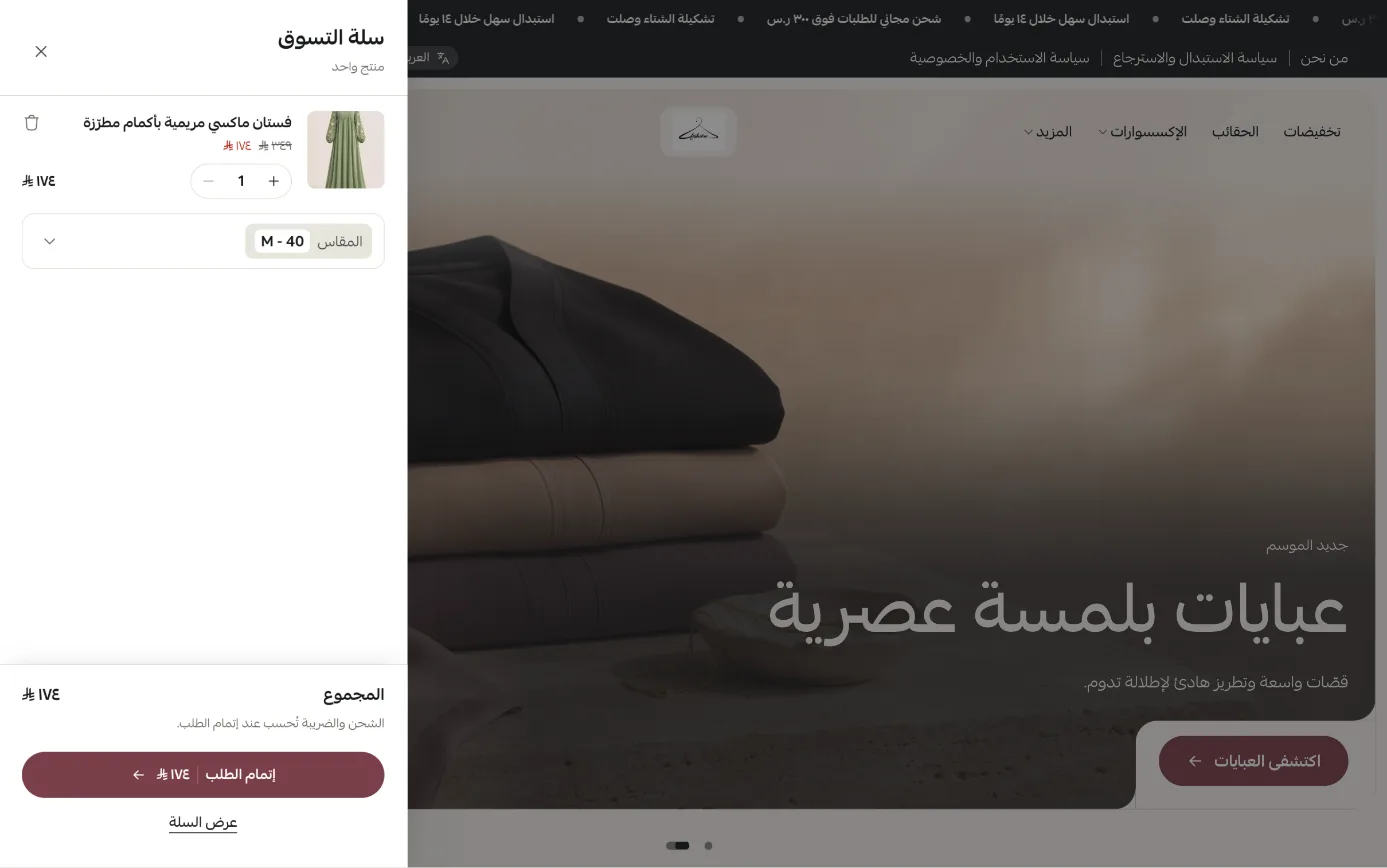
The side cart opens from the side of the screen instead of going to the cart page, so the customer stays where they are and keeps shopping. All its options are in the theme settings → Side cart («السلة الجانبية»), and they are all on from the start:
| Setting | What it does |
|---|---|
| Open the side cart from the cart icon («فتح السلة الجانبية من أيقونة السلة») | Tapping the cart icon (in the header and the mobile bar) opens the side cart. |
| Open the side cart after adding a product («فتح السلة الجانبية بعد إضافة منتج») | The cart opens and highlights the added product, instead of the added-to-cart notice. |
| Free shipping bar («شريط الشحن المجاني») | Shows the customer how much is left until free shipping. |
| Offers on products («العروض على المنتجات») | Writes the offer name and the discount amount under the product. |
| “You may also like” («ممكن يعجبك كمان») | Products related to the last product the customer added, which they add with one click. |
| Improved added-to-cart notice («إشعار الإضافة المحسّن») | Shows instead of the cart if you turn off “Open the side cart after adding a product”. |